For this proof I did this:
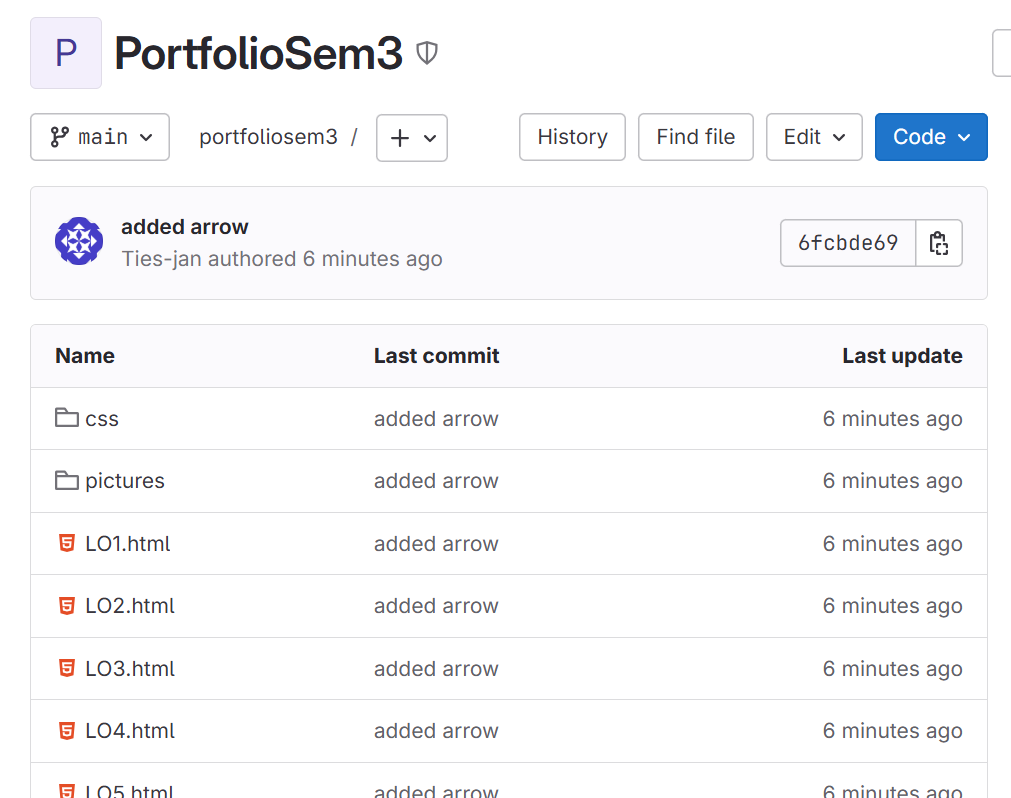
For my project, I created a GitHub repository because it was a required part of the assignment, and it's also a really useful tool for keeping my code organized. GitHub helps me save different versions of my work, so if I make a mistake or want to go back to an earlier version, I can do that easily. It also allows me to keep all my files in one place and makes it easier to manage my project as it grows.
Another important reason I used GitHub is so that my assessors can look at my work. I set the repository to “public,” which means anyone with the link can view it without needing special permission. This makes it simple for my teachers to check my progress, see the changes I’ve made, and give me any feedback or suggestions to improve my work.
When it comes to updating my repository, I chose to use Git Bash instead of the Git that is built into Visual Studio Code. I tried both, but I found Git Bash to be clearer and easier for me to understand. It gives me more control over what I’m doing, and I can clearly see what commands I’m using. Overall, it has made my workflow smoother and helped me feel more confident when working with code and version control.
Git link:
https://git.fhict.nl/I538452/portfoliosem3
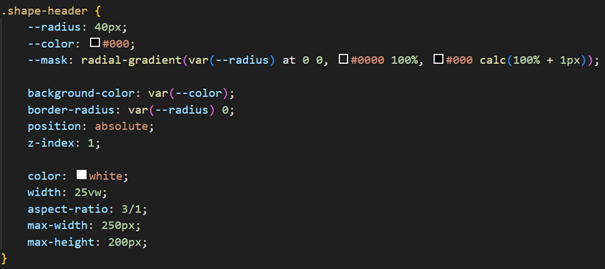
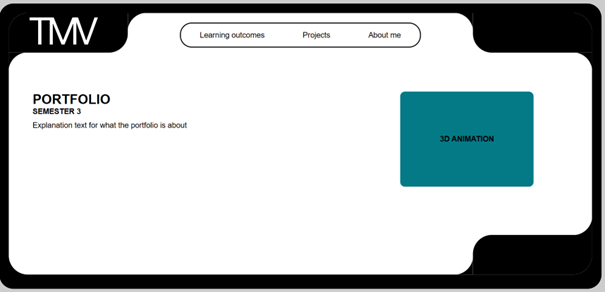
I had some issues with coding for my portfolio because I had a specific shape for my header in my design. I had a lot of trouble trying to figure out how to fix it. I went for feedback atleast three times. In the first feedback for my portfolio I received a website for shape generating that was really useful.
I found the right shape on the website but I needed to change a bit of the code to get the right shape. But I could not figure out how to change the code because I did not fully understand the code the website gave me. So I asked Maikel for help, he tried editing the code at first, but it took a bit more time than it was supposed to take. Maikel helped me write new code that was easier to understand.
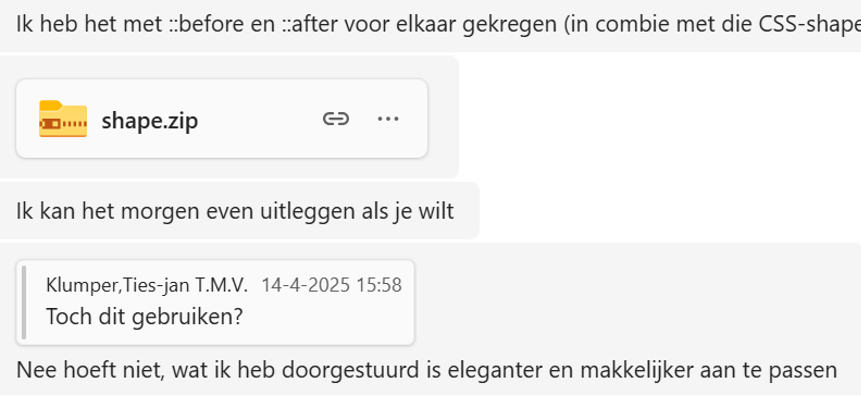
After all this feedback I finally got the shape right after three weeks of struggling to get it right.
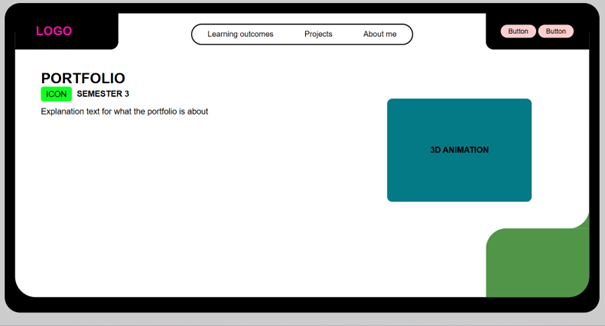
Before:
After:
Reflection:
While working on my portfolio, I struggled to create a custom header shape from my design. I found a helpful shape generator online, but I didn’t fully understand the code it provided. After asking for feedback a few times, Maikel helped me rewrite the code in a simpler way. It took a few weeks, but I finally got the shape right and now fully understand how the code works. Looking back, this experience taught me the value of persistence, asking for help, and taking time to understand code rather than just copying it.
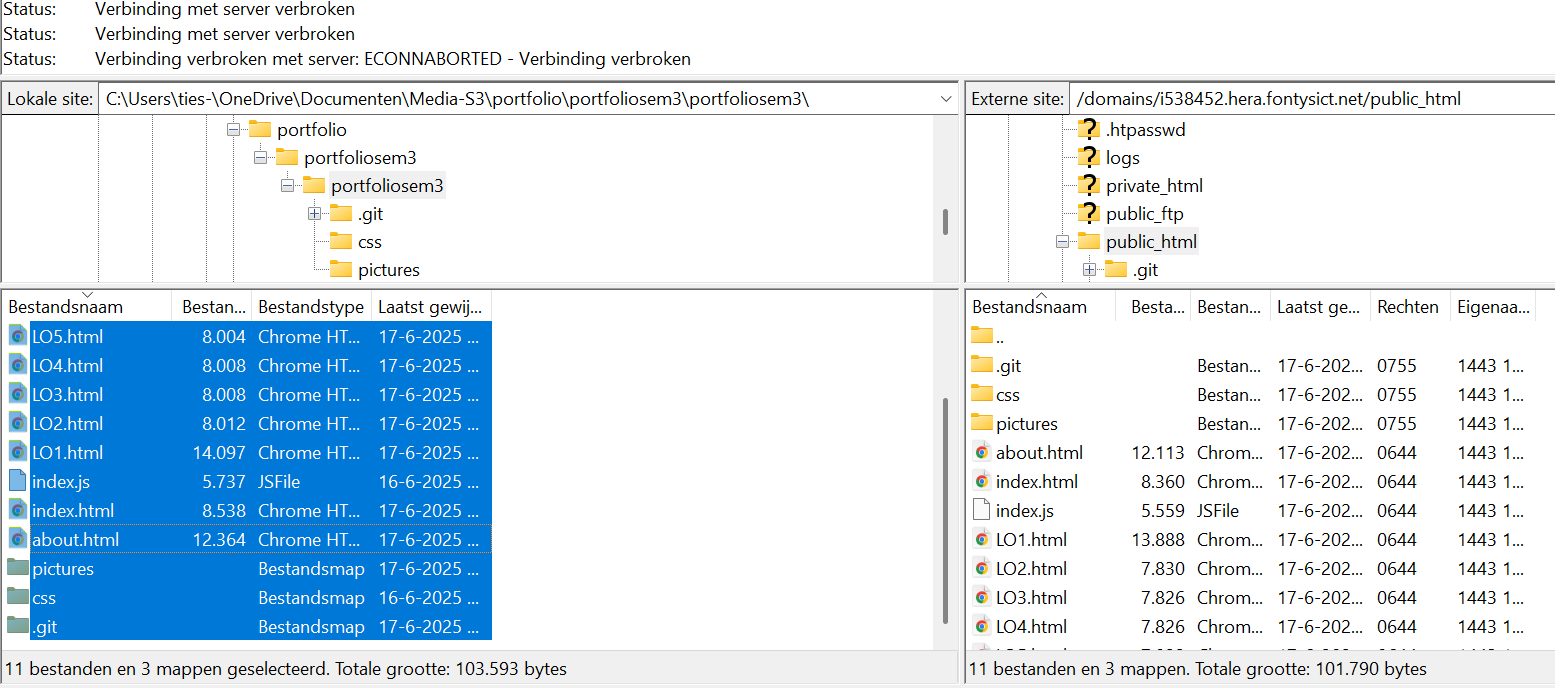
Uploading my website using FileZilla was one of the requirements for my review. Although I’ve done it before, I always seem to forget the exact steps—especially when it comes to finding the correct host, username, and link. Each time, I end up needing to do a bit of research to remind myself how everything works. It’s a small but important part of the process that can easily be overlooked.
This time, however, things went a bit more smoothly. While checking my Outlook, I found an old email that included the correct host and username information. That made a big difference and helped me log into FileZilla right away without going through the usual trial-and-error.
Before uploading my new project, I also had to delete the previous version from the server, which I had forgotten to do earlier. It was a small but necessary step to avoid any confusion with old files. Once that was done, I was able to upload my new portfolio successfully.
Now that my website is live on the server, it’s easily accessible to others without needing to look at my code. Reflecting on this experience, I realize how important it is to keep notes or documentation of these recurring technical tasks. It would save me time and reduce frustration in the future. Even though I struggled a bit at first, I’ve learned to be more organized with these steps and I feel more confident using FileZilla now.
Website link:
https://i538452.hera.fontysict.net/
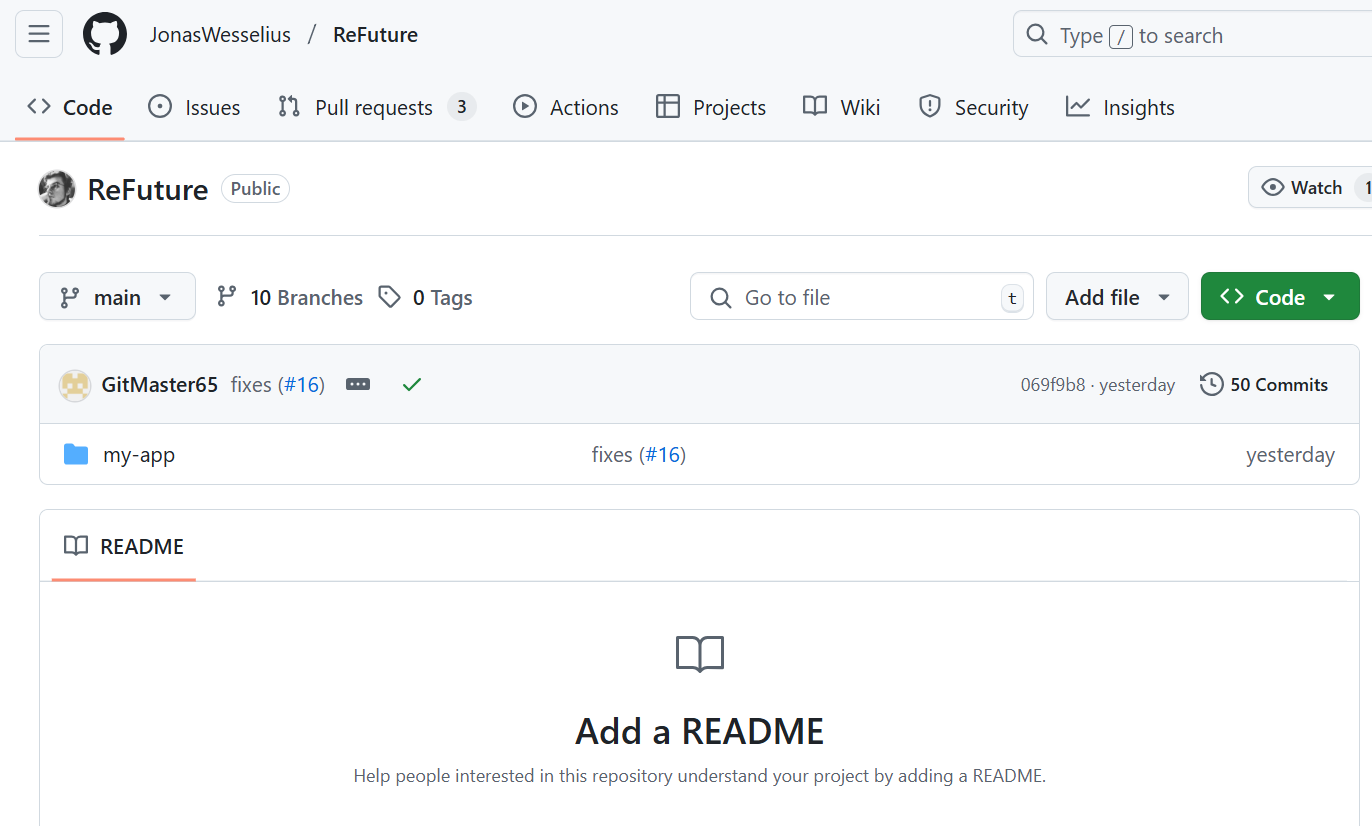
For our group project, we decided to use GitHub Desktop instead of GitLab, which was a bit different from what I was used to. At first, it felt a little confusing because I wasn’t just pushing and pulling code like I normally would. With GitHub Desktop, I had to learn how to make pull requests, wait for reviews, and handle merge conflicts — all things I hadn’t really dealt with before.
We also did a lot of code sharing through Visual Studio Code, which meant we had to coordinate closely and stay in sync with each other. It definitely took me some time to get the hang of everything. In the beginning, it felt like there were a lot of extra steps and I was worried I might mess something up.
But after a while, once I got used to how things worked, it actually became way easier. The process started to make a lot more sense, and I could see how it helped keep our code more organized and avoided a lot of confusion. Looking back, I’m glad I pushed through the learning curve. It was a good experience stepping out of my comfort zone, and now I feel more confident using GitHub in future group projects.
https://github.com/JonasWesselius/ReFuture.git
For our project, my group decided to use React, which was completely new to me at the time. I had never even heard of it before, so I wasn’t really sure what to expect. Before I could start coding, I had to spend quite a bit of time researching and trying to understand how React actually works. I quickly found out that React is a JavaScript library used for building user interfaces, especially for single-page applications. It breaks everything down into reusable components, which helps make the code more organized and easier to manage once you get the hang of it.
Since I didn’t have a lot of experience with JavaScript, learning React was a bit of a challenge. At first, concepts like JSX (which lets you write HTML inside JavaScript), props, and state management were pretty confusing. But I kept reading documentation, watching tutorials, and trying out small examples to see how it all came together. The more I practiced, the more things started to click.
Looking back, I’m really glad I took the time to learn React. It was definitely outside of my comfort zone, but doing the research and pushing through the learning curve helped me grow as a developer. I now have a much better understanding of how modern web apps are built, and I feel more confident using JavaScript and React in future projects. It also showed me that even if something seems complicated at first, with enough effort and curiosity, I can figure it out.
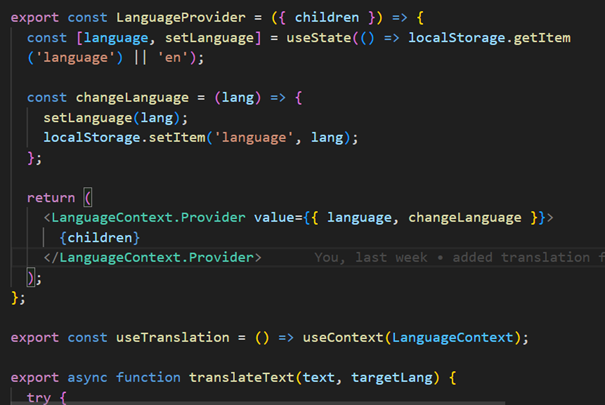
In react I made a language translation widget. Since I’m building a platform where users can browse jobs, take language tests, and share posts, I felt it was important to make the app feel more accessible—especially for people who don’t speak English as their first language. Adding multi-language support just made sense.
It’s a little floating icon in the corner of the screen—when you click it, it opens a dropdown where you can select your preferred language. Behind the scenes, I used React Context to keep track of the selected language across the whole app, and I stored the choice in localStorage so it sticks even if you refresh the page.
For the translations themselves, I went with a mix of manual and automatic. I manually translated common phrases—like “Available Jobs” or “Create here”—into Dutch, German, and a few other languages to make sure they read naturally. For everything else, I used the MyMemory API to fetch automatic translations as a fallback. I also created a TranslatedText component that wraps any text and swaps it out based on the selected language. It updates right away, and if the API takes a moment, the translation appears as soon as it’s ready.
Building this widget reminded me how even small features can make a big difference. It’s easy to focus on just getting a product to work, but thinking about how different people experience it—especially across languages—really shifts your perspective. Adding translation support felt like a step toward making the platform more inclusive and user-friendly. I also enjoyed solving the technical side of it—figuring out how to manage state globally, fall back to an API when needed, and keep everything seamless for the user. It was a good reminder that thoughtful details matter, and that building with accessibility in mind isn’t just nice to have—it’s necessary.
https://github.com/JonasWesselius/ReFuture.git